 Nov 30, 2025 - 0
Minutes read
Nov 30, 2025 - 0
Minutes read
Best Email Management Tools:
Boost Productivity and Save Time
Are you tired of drowning in a sea of unread emails every day? Managing your inbox doesn’t have to be overwhelming or time-consuming.
The right email management tools can transform your chaos into clarity, helping you stay organized, respond faster, and even boost your productivity. Whether you’re handling a busy personal inbox, collaborating with a team, or running marketing campaigns, there’s a perfect solution designed just for your needs.
Dive in to discover the best email management tools that will take control of your inbox—and give you back your valuable time.

Credit: www.wpbeginner.com
Top Team Tools
Managing emails efficiently is crucial for teams handling multiple conversations daily. Top team tools help streamline communication, assign tasks, and keep everyone on the same page. These tools improve response times and reduce email overload. Here are some of the best options designed for team collaboration.
Missive Features
Missive offers shared inboxes for easy team access. Team members can write emails together in real time. It supports assigning emails to specific team members. Conversations stay organized with tags and notes. You can chat inside the app to avoid switching platforms. Missive also integrates with popular apps like Slack and Trello.
Front Capabilities
Front lets teams manage both shared and private inboxes in one place. It helps segment customer conversations for better focus. Team members can comment on emails privately. Assigning emails is simple and clear. Front tracks response times and team performance. It works well for agencies and customer support teams.
Hiver Integration
Hiver integrates directly with Gmail, ideal for Google Workspace users. It adds shared inboxes without leaving Gmail. Teams can assign emails and track their status easily. Hiver offers collision detection to avoid double replies. It also provides analytics to monitor team efficiency. This tool keeps email management simple and familiar.
Personal Inbox Helpers
Managing a personal inbox can be challenging. Hundreds of emails arrive daily. Sorting important messages from spam wastes time and focus. Personal inbox helpers use smart technology and simple designs. They clean, sort, and organize emails automatically. These tools reduce clutter and improve productivity. Here are three top picks that make email management easier for individuals.
Sanebox Ai Sorting
SaneBox uses artificial intelligence to sort emails. It moves less important messages out of your inbox. Important emails stay front and center. The tool learns from your habits and improves over time. You can set reminders and snooze emails for later. SaneBox helps keep your inbox neat without constant manual work.
Clean Email Cleanup
Clean Email helps you clean and organize your inbox quickly. It groups emails by sender, date, and topic. You can delete, archive, or move large groups with one click. The tool highlights unread and old emails for easy review. Clean Email also blocks unwanted senders. It simplifies inbox management and saves time.
Spike Messaging Style
Spike turns your emails into chat-style conversations. It removes email headers and signatures for a clean look. This style makes reading and replying faster and more natural. Spike supports group chats and real-time messaging. It blends email and instant messaging in one app. Spike works well for those who prefer a simpler email experience.
Marketing And Sales Apps
Marketing and sales apps play a vital role in managing email communications efficiently. These tools help businesses send targeted emails, track customer interactions, and nurture leads. They combine email management with customer relationship features to boost productivity. Choosing the right app can save time and improve campaign results.
Hubspot Crm Tools
HubSpot CRM tools offer a seamless way to manage contacts and email campaigns. It integrates email marketing with sales pipelines, tracking every interaction. Users can create personalized emails and automate follow-ups. The platform also provides detailed analytics to measure campaign success. HubSpot suits businesses aiming for organized sales and marketing efforts.
Mailchimp Campaigns
Mailchimp campaigns are popular for their simple drag-and-drop email builder. It allows users to design attractive emails without coding skills. Mailchimp supports audience segmentation, so messages reach the right people. The tool also offers automation features to send emails based on customer behavior. Reporting tools help monitor open rates and clicks easily.
Brevo Bulk Messaging
Brevo bulk messaging is ideal for sending large volumes of emails at once. It supports newsletters, promotions, and transactional emails. The platform ensures high deliverability rates to avoid spam filters. Users can schedule campaigns and track performance in real time. Brevo works well for businesses needing reliable mass email solutions.
Popular Business Options
Businesses need reliable email management tools to handle daily communication. Popular options offer unique features for different work styles and team needs.
These tools improve productivity by organizing emails and supporting collaboration. They also help customer support teams respond faster and more efficiently.
Microsoft Outlook Strengths
Microsoft Outlook integrates well with other Microsoft apps. It offers a familiar interface for many business users. Outlook helps schedule meetings and manage calendars easily. It supports rules to sort and prioritize emails automatically. Security features keep business communications safe and compliant.
Gmail Collaboration
Gmail is popular for its simple, clean design and strong search features. It connects seamlessly with Google Workspace apps like Drive and Calendar. Teams can collaborate using shared labels and inboxes. Gmail also supports smart replies to save time. Its spam filtering is effective at keeping inboxes clean.
Help Scout Support
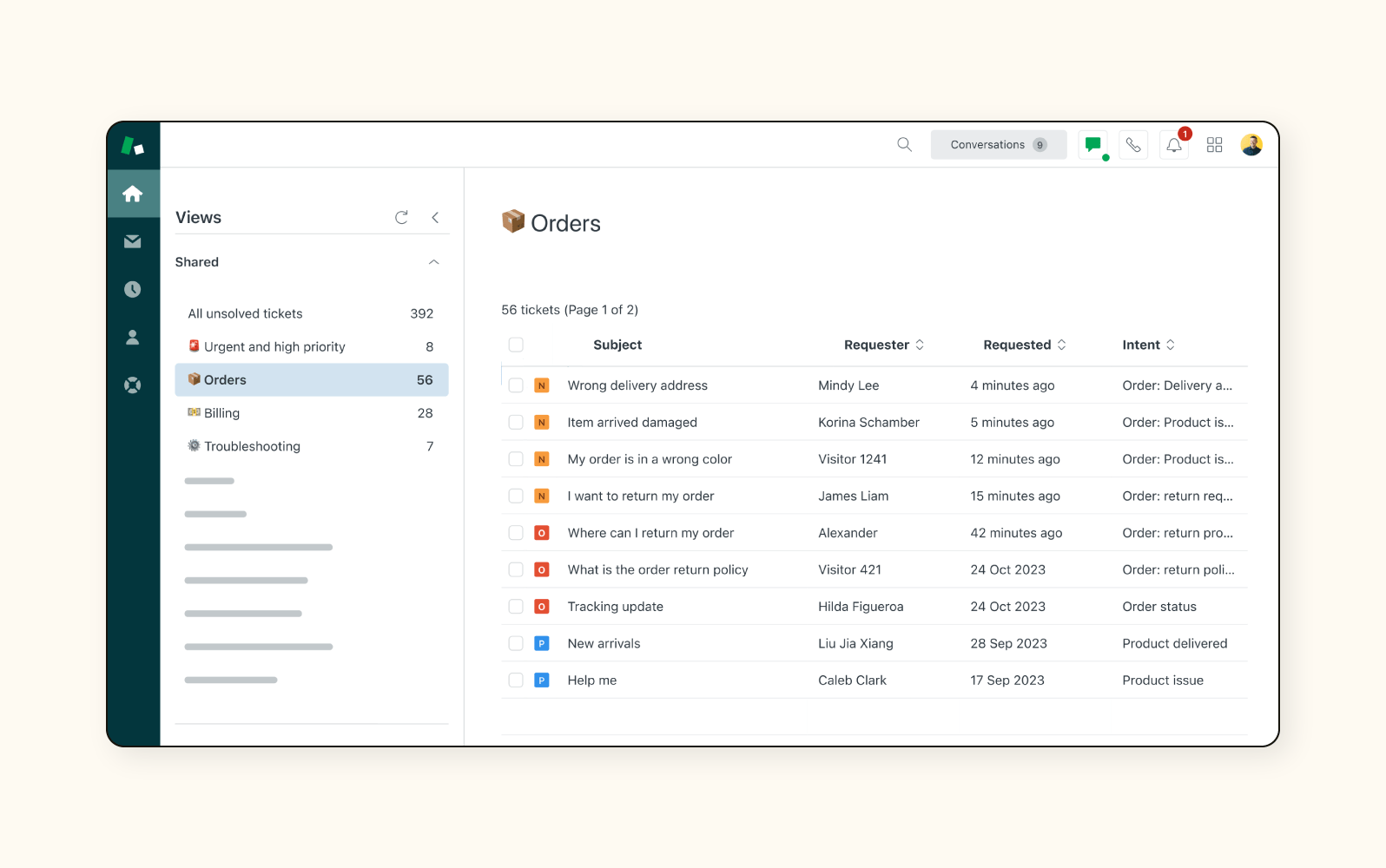
Help Scout focuses on customer service email management. It offers shared inboxes so teams can work together smoothly. Conversations can be assigned to the right team member. Help Scout tracks customer history for personalized responses. It also provides reporting tools to improve support quality.
Choosing The Right Tool
Choosing the right email management tool can transform how you handle daily communication. The ideal tool must fit your unique workflow and goals. Consider your priorities carefully. This makes your email management smoother and more effective.
Matching Features To Needs
Start by listing what you need from an email tool. Do you want to organize your inbox automatically? Or do you need strong collaboration features for your team? Some tools focus on sorting and cleaning personal inboxes. Others offer shared inboxes and task assignments. Pick a tool that matches your daily tasks and challenges. This helps you save time and reduce stress.
Team Vs Personal Use
Think about who will use the tool. Personal email tools focus on simplifying your individual inbox. They often include filters and reminders. Team tools offer shared inboxes and real-time collaboration. They allow multiple users to manage emails together. Choose a tool designed for your context. This ensures better communication and workflow.
Integration Considerations
Check how well the tool works with your current apps. Many email tools connect with calendars, CRMs, and project management software. Good integration keeps your work in one place. It also reduces the need to switch between apps. Confirm the tool supports your most-used platforms. This creates a seamless work experience and boosts productivity.

Credit: www.helpscout.com
Credit: www.zendesk.com
Frequently Asked Questions
What Are The Best Email Management Tools For Teams?
Top tools for teams include Missive, Front, and Hiver. They offer shared inboxes, collaboration, and Gmail integration. These tools streamline team communication and improve efficiency in handling emails collectively.
Which Tools Help Declutter Personal Email Inboxes?
SaneBox and Clean Email are ideal for personal inbox management. They use AI and smart filters to prioritize, organize, and clean emails automatically, reducing clutter and saving time.
What Email Tools Are Best For Marketing Automation?
HubSpot, Mailchimp, and Brevo excel in marketing automation. They provide features like CRM integration, drag-and-drop builders, and bulk email sending to enhance campaigns and customer engagement.
How Does Microsoft Outlook Support Email Management?
Outlook suits businesses invested in the Microsoft ecosystem. It offers advanced features for managing heavy email users, including calendar integration, rules, and focused inbox for better organization.
Conclusion
Choosing the right email management tool can save you time daily. Teams benefit from tools like Missive and Front for smooth collaboration. Personal users find SaneBox and Clean Email great for organizing cluttered inboxes. Marketing teams enjoy HubSpot and Mailchimp for easy campaign management.
Businesses tied to Microsoft or Google prefer Outlook or Gmail for seamless integration. Pick a tool that fits your needs and work style best. Managing emails becomes easier, and productivity grows. Start small, test options, and find what suits you well.